
With the Wave 25 deadline for the Integration Phase approaching, many restaurant and cafe owners in Saudi Arabia are searching for a ZATCA approved POS system. Before you pay any vendor, it helps to know what ZATCA actually says about the word “approved”, and what your cashier system must do for your restaurant to stay compliant.
This guide explains the requirements as they appear in ZATCA’s official sources, gives you a list of questions to check any system against, and sets out a practical plan to finish integration before the deadline.
Key facts
- ZATCA does not issue an approval certificate for cashier systems; what you need is a system that meets the e-invoicing requirements and connects to the Fatoora platform.
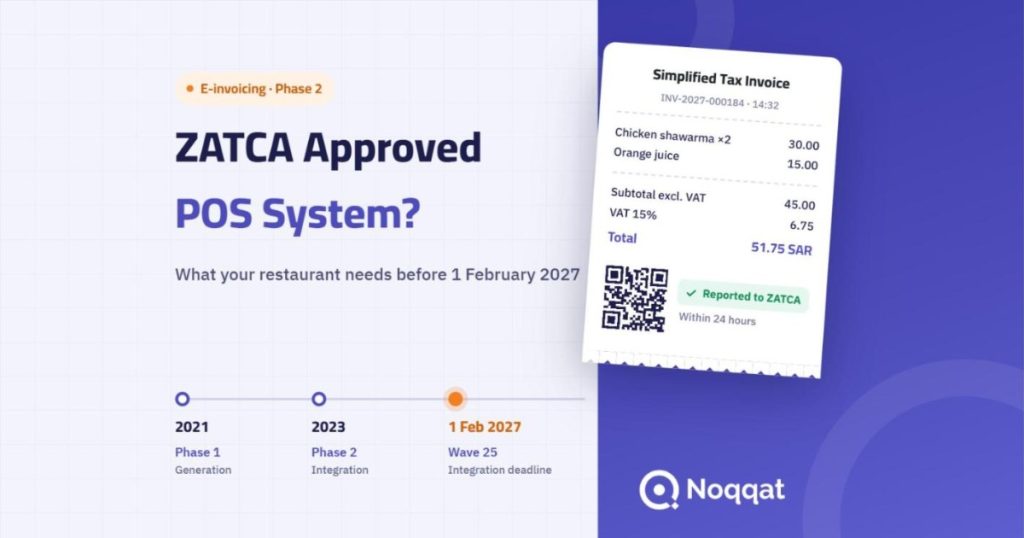
- Phase 1 (Generation) has applied since 4 December 2021. Phase 2 (Integration) has been applied in waves since 1 January 2023.
- Wave 25 covers taxpayers whose VAT-subject revenue exceeded SAR 187,500 in any year from 2022 to 2025, with integration due by 1 February 2027.
- Simplified tax invoices are reported to ZATCA within 24 hours; standard tax invoices to businesses are cleared by ZATCA before they are sent to the buyer.
In this article
- Is there an approved POS?
- The two e-invoicing phases
- Wave 25 and its deadline
- Phase 2 requirements
- Prohibited functions
- Questions before you buy
- Compliance plan
- Penalties
- Common mistakes
- How Noqqat helps
- FAQ
Is there an official ZATCA approved POS system?
The accurate answer: ZATCA does not certify cashier systems. What it publishes is the E-invoicing Solution Providers Directory, an indicative list of providers that have passed its qualification process. ZATCA states clearly that this list is not an approval of the listed solutions, and that taxpayers may use any solution that meets the requirements, even if its provider is not listed.
So when you look for an “approved POS system”, the right question is: does this system meet the e-invoicing requirements in both phases, and does it actually connect to the Fatoora platform? Be wary of any vendor who presents the directory as an official certificate.
The two e-invoicing phases at a glance
ZATCA applies e-invoicing in two phases, according to its simplified e-invoicing requirements guide:
| Phase | Start | What is required |
|---|---|---|
| Phase 1: Generation | 4 December 2021 | Issue and store invoices and credit/debit notes electronically through a compliant solution |
| Phase 2: Integration | From 1 January 2023, in waves | Connect the invoicing system to the Fatoora platform and share invoices with ZATCA |
Phase 1 has applied since 2021 to all taxpayers except non-residents. Phase 2 is rolled out gradually, and ZATCA sets the selection criteria and integration date for each wave.
Wave 25: is your restaurant included?
On 24 July 2026, ZATCA announced the criteria for Wave 25. The wave covers taxpayers whose revenue subject to VAT exceeded SAR 187,500 in 2022, 2023, 2024 or 2025. ZATCA will notify the targeted taxpayers to integrate their solutions with the Fatoora platform by no later than 1 February 2027.
In practice: if your restaurant’s taxable sales passed that threshold in any of those years, expect to be notified. Don’t wait for the notice to start; the window is short, and moving to a new system takes time to set up and train. Your tax accountant can help you confirm your status.
What must your POS system do in Phase 2?
These are the requirements that matter most for restaurants and cafes, as ZATCA’s simplified guide explains them.
1. Report simplified tax invoices within 24 hours
Most restaurant invoices are simplified tax invoices, because they are issued to individuals. The cashier issues the invoice and hands it to the customer straight away, then the system reports it to ZATCA within a maximum of 24 hours. This is called “reporting”, and it does not slow the customer down at the till.
2. Clear standard tax invoices before sending them to businesses
If you sell to businesses, such as corporate catering or company orders, you issue standard tax invoices. The system first sends these to ZATCA for clearance, receives them back cleared, and only then shares them with the buyer. If you have this kind of sale, make sure your system supports both flows.
3. A QR code with the right data
Since Phase 1, the QR code on a simplified invoice has carried five basic fields: the seller’s name, VAT registration number, invoice date and time, the total including VAT, and the VAT amount. In Phase 2 the QR code becomes more complete: ZATCA requires nine elements, adding technical verification data that the system generates automatically. Scan it yourself during the demo and check that the basic fields appear.
4. The e-invoice format
In Phase 2, an e-invoice is not an image or an ordinary PDF. It must be issued in XML format, or as a PDF/A-3 file with the XML embedded. The system handles this automatically.
5. Onboarding each device on the Fatoora portal
Before a cashier can start reporting invoices, the device is onboarded through the Fatoora portal: you log in with your business account, generate a one-time password (OTP), and enter it into the POS system before it expires. A good vendor walks you through this step by step, for every device in every branch.
Functions your POS system must not have
Many owners check what a system does and forget what it must not do. According to ZATCA’s guide, these functions are prohibited in e-invoicing solutions:
- Tampering with invoices or notes after they are issued.
- Creating more than one record or sequence for invoices.
- No user management or permissions.
- The ability to change the system’s date and time.
- Exporting the cryptographic stamp’s private key.
Invoices may not be modified or deleted once issued. To cancel an invoice you issue a credit note and then a new invoice; if the value increases, you issue a debit note. So if you see a button that deletes an issued invoice, treat it as a warning sign, not a feature.
How to check a POS system before you buy
Ask any vendor these questions, and ask them to show you the answer on screen rather than just explain it:
| Question | The answer you want |
|---|---|
| Is the system actually connected to Fatoora, or only “ready to integrate”? | Live integration, with current customers connected today |
| Does it support simplified and standard tax invoices? | Yes, with credit and debit notes |
| What happens if the internet drops? | Sales continue and invoices are reported when the connection returns, within the deadline |
| Who onboards the devices to the Fatoora portal? | The vendor’s team, with you, for every device |
| Can an invoice be deleted after it is issued? | No, corrections only through credit or debit notes |
| Does every employee have their own account and permissions? | Yes, with a log of every action |
| Are there extra fees for integration? | A clear written price from the start |
If you are comparing complete systems and not only invoicing, you’ll find the remaining criteria in our guide on how to choose the best restaurant POS system.
A practical plan to comply before 1 February 2027
The time left is enough if you start now and follow a clear order:
- Confirm your status: review your VAT-subject revenue for 2022 to 2025 with your accountant.
- Check your current system: put the questions above to your vendor. If it isn’t ready, the decision is easier now than in January.
- Choose a system and ask for a demo on your menu: watch it issue a simplified and a standard invoice, and scan the QR code.
- Prepare your data: business details, VAT number, branches, items and prices.
- Onboard devices to the Fatoora portal: device by device, branch by branch.
- Train the team: especially on refunds and cancellations through notes instead of deleting invoices.
- Review the first week: confirm invoices are reported without errors and fix any issue before the deadline.
What happens if a restaurant does not comply?
ZATCA applies e-invoicing penalties according to the type of violation and how often it is repeated. Under its guide published in May 2024, a first violation starts with a warning and a deadline to correct it, and fines then rise with each repetition. Because regulations can be updated, the reference for amounts and details is ZATCA’s official website or your tax accountant.
More important than the fine itself is the effect on operations: a restaurant that waits until the last week to change systems will train its team under pressure and may face invoicing errors on busy days.
Common mistakes restaurant owners make
- Believing a QR code on the invoice is enough for Phase 2. The QR code is one requirement; connecting to the platform is another.
- Relying on the word “approved” in a vendor’s advert without seeing the integration working.
- Forgetting other branches or backup devices when onboarding.
- Letting staff cancel invoices the old way instead of using notes.
- Waiting until January 2027 to start preparing.
How Noqqat helps
Noqqat is a Saudi cloud POS system based in Riyadh, compliant with Phase 1 and Phase 2 e-invoicing requirements. Alongside invoicing, you get what a restaurant needs every day:
- Runs on Windows, iPhone, Android and Huawei, and keeps selling when the internet drops.
- Direct integration with Jahez, HungerStation, Noon and Ananinja, as listed on the integrated apps page.
- 24/7 support.
Noqqat plans start from SAR 100 per month.
Don’t wait for the final weeks: request a Noqqat demo and watch an invoice being issued and reported on your own menu.
Frequently asked questions
Does ZATCA approve POS systems?
No. ZATCA publishes a directory of qualified solution providers and states that it is not an approval or certification of any solution. What matters is that the system meets the requirements and connects to the Fatoora platform.
What is the difference between Phase 1 and Phase 2?
Phase 1 is issuing and storing invoices electronically, in force since 4 December 2021. Phase 2 is connecting the system to the Fatoora platform and sharing invoices with ZATCA, applied in waves since 1 January 2023.
What is the Wave 25 deadline?
Integration by no later than 1 February 2027, for taxpayers whose VAT-subject revenue exceeded SAR 187,500 in any year from 2022 to 2025 and whom ZATCA notifies.
Within how many hours must a simplified invoice be reported?
Within a maximum of 24 hours of issue. The system does this automatically.
Is a QR code on the invoice enough?
No. A QR code has been required on simplified invoices since Phase 1. Phase 2 requires a more complete QR code and, on top of that, connecting the system to the Fatoora platform and reporting invoices to it.
Can I delete an invoice issued by mistake?
No. Invoices may not be modified or deleted once issued. To cancel one, issue a credit note and then a new, correct invoice; if the value increases, issue a debit note.
Does the POS system work if the internet drops?
This varies between systems, so ask directly. Noqqat works offline, so you can keep selling when the connection drops.
Does every cashier device need to be onboarded separately?
Yes. Each device that issues invoices is onboarded through the Fatoora portal with its own one-time password, so list your devices in every branch before you start.