

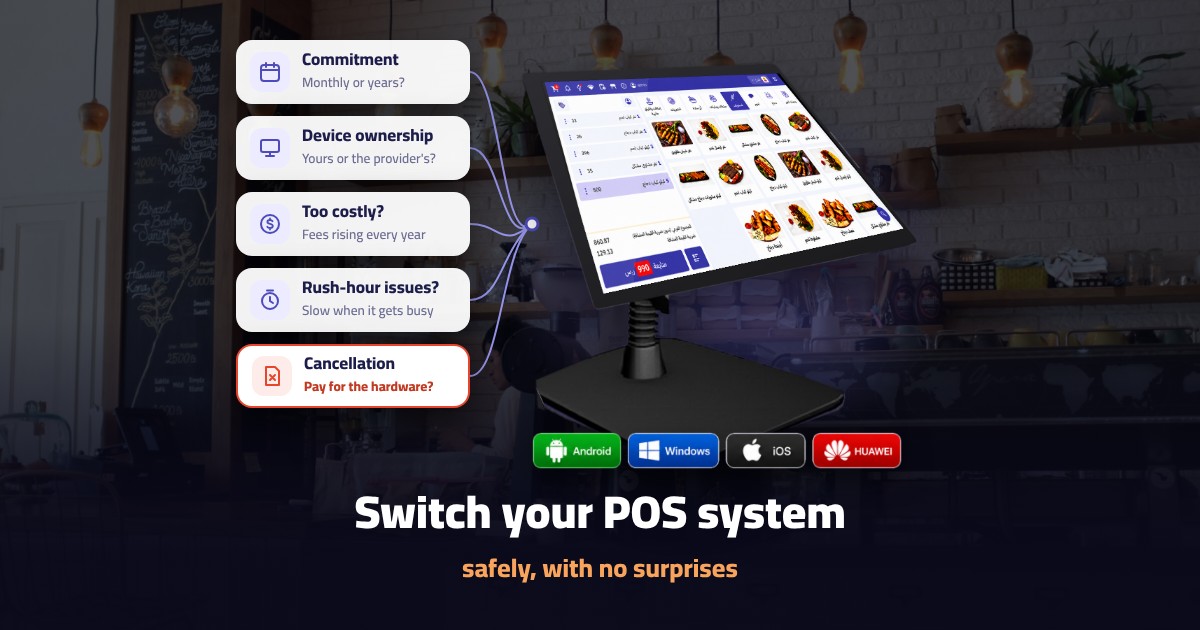
Thinking about switching your restaurant POS system because it’s slow, the cost keeps rising, or it can’t keep up with your new branches? The decision itself isn’t hard. The move is where it can cost you: lost data, confused staff at peak time, and sometimes a surprise bill from your old provider because of a contract clause you never noticed.
This guide shows you how to switch restaurant POS system providers safely, from reviewing your current contract to your first month on the new system, with the questions to ask before you sign with anyone, so you don’t make the same mistake twice.
Key points
- Review your current contract before anything else: commitment period, cancellation terms and who owns the hardware.
- Big offers and “free” devices are often tied to a long commitment, and cancelling early can mean paying the full value of the hardware.
- Calculate the full cost of switching, not just the new subscription price.
- Export your data (items, customers, reports and invoices) before switching off the old system.
- Under Phase 2 of e-invoicing, the new system’s devices must be onboarded to the Fatoora platform before they issue invoices.
- Switch on a quiet day, train your team first, and watch your numbers closely in the first month.
In this article
- When to switch
- Free-device contracts
- Your current contract
- Cost of switching
- Export your data
- E-invoicing
- Choosing the new system
- Switch-over plan
- Training your team
- The first 30 days
- Common mistakes
- Switching to Noqqat
- FAQ
When is switching your POS the right decision?
Don’t switch just because of an attractive offer. Switch when there’s a real problem costing you money or time every day. The clearest signs:
- The system freezes or slows down at peak time, and queues get longer.
- You have no clear reports showing your real sales and profit.
- Delivery app orders are entered by hand, and mistakes keep happening.
- You’ve opened a new branch and can’t follow both from one dashboard.
- The system isn’t ready for Phase 2 e-invoicing requirements.
- The price goes up every year without new features to justify it.
- Technical support is slow and doesn’t answer when you actually need it.
If two or more of these apply to you, it’s probably time to look for a replacement. And remember that staying on a system that doesn’t fit has a cost too, even if it never shows up on an invoice: lost orders, accounting mistakes, and time your team wastes every day.
Before you sign: watch out for “free device” contracts and big offers
This is the most important point in the whole guide, and many restaurant owners miss it.
Important: When you subscribe to any POS system, you sign a contract with the provider. When an offer looks very generous, such as a free POS device or a big first-year discount, it is often tied to a long commitment period. In some contracts, if you cancel before the end of that period, you are asked to pay the full value of the “free” hardware, and sometimes the remaining months of the contract in one payment. Terms like these exist in some offers on the market, and owners usually only discover them when they decide to switch, so don’t rely on a provider’s reputation; rely on what’s written in the contract.
So read the contract clause by clause before signing, and get written answers to these questions:
- How long is the commitment? Is it monthly and cancellable at any time, or a commitment of a year or more?
- Who owns the “free” device? Does it become yours, or does it stay the provider’s property with its cost built into the subscription?
- What are the early cancellation terms? Is there a penalty? Do you have to pay the full price of the hardware or the remaining months?
- Does the contract renew automatically? How much notice do you need to give before cancelling?
- What happens to the price after the offer ends? Many discounts end after the first year, and the price goes up.
- Can you export your data when you leave? Is there a fee for it?
This table sums up the gap between what the offer shows and what you need to check in the contract:
| What the offer shows | What to check in the contract |
|---|---|
| Free POS device | Who owns it, and what you pay for it if you cancel early |
| Big first-year discount | What the price becomes from year two |
| Free setup | Whether it covers menu entry and staff training |
| Low subscription price | The commitment period and automatic renewal |
The simple rule: an offer you can’t easily walk away from isn’t cheap, even if it looks that way at the start.
After signing, keep a signed copy of the contract and any written quote or annex, and put the subscription start date and the end of the commitment period in your calendar. Many disputes with providers don’t come from bad intent, but from a forgotten date or a clause that wasn’t written clearly. If a sales rep makes a verbal promise, such as waiving the penalty or adding a device at no cost, ask for it to be added to the contract in writing before you sign.
Review your current contract before you move
Before telling your current provider you’re leaving, take out your contract and check the same points: when the commitment ends, the value of any penalty, the notice period, and whether your hardware is owned or leased. Sometimes waiting two months for the contract to end costs less than an early cancellation penalty.
- If you own the hardware: ask the new provider whether its system runs on it. You may avoid buying new devices altogether.
- If the hardware is leased or came with the offer: find out whether you must return it or pay for it, and by when.
- If the contract renews automatically: send your cancellation notice in writing before the deadline, and keep a copy.
How much does switching cost?
Many owners compare the new subscription price with the old one, then get surprised by costs they never planned for. Before you decide, put these items on one sheet:
- Early cancellation penalty or hardware value owed to the old provider, if any.
- New hardware if your current devices don’t work with the new system.
- Setup fees for menu entry and connecting printers and the kitchen screen.
- Training hours your team will spend away from service.
- The cost of any downtime on switch-over day if it isn’t well planned.
Then compare that total with what the current system costs you every month. If the switch pays for itself within a few months, it’s usually the right call. For the cost of the systems themselves, read our guide to restaurant POS system price in Saudi Arabia.
Export your data before switching off the old system
Your data belongs to you, and you should take it with you. Before switching off the old system, export a copy of:
- Your item list, prices, categories and modifiers.
- Customer data and loyalty balances, if you have them.
- Sales reports for previous periods.
- Your archive of issued invoices.
- Inventory and supplier data.
Ask for the files in an easy format such as Excel or CSV, and check they’re complete by comparing the number of items and customers with what the old system shows. Keep a copy somewhere safe, then ask the new provider to load your items and prices into its system before launch day.
E-invoicing when you change systems
If your business is targeted by Phase 2 of e-invoicing, every device that issues invoices must be onboarded to ZATCA’s Fatoora platform through the platform’s portal using a one-time password (OTP). So coordinate with the new provider to finish onboarding your devices before switch-over day, so you never stop issuing compliant invoices, even for a day.
Watch the timing too: ZATCA announced the Wave 25 criteria, with an integration deadline of 1 February 2027 for targeted taxpayers. If your business is targeted, finish the switch and the onboarding well before that date, not in its final days. For the full Phase 2 requirements, read our guide to the ZATCA approved POS system.
How to choose the new system
Don’t repeat the last choice’s mistakes. Before you decide, check:
| What to check | Why it matters |
|---|---|
| Compliance with both e-invoicing phases | A basic requirement for targeted businesses |
| Delivery app integration | Stops manual entry and errors |
| Offline mode | Sales continue when the internet drops |
| Inventory and branch management | Follow everything from one dashboard |
| Contract terms and commitment period | So the cancellation problem doesn’t repeat |
| Technical support and its hours | Problems usually happen at peak time |
Ask to test the system on your own menu before you sign: run a sale, a refund and a daily closing, print an invoice, and see how fast and easy it is to use. Also ask the provider: who will enter your menu and move your data? Is there a named person following up with you in the first week? How quickly does support reply in the evenings and at weekends? The answers show you what your experience will be like after you sign, not just before.
Your switch-over plan, step by step
- Two weeks before: review the old contract, send the cancellation notice if needed, and sign with the new provider after reading its terms.
- One week before: export your data and set up the new system with items, prices, tax, printers and the kitchen screen.
- Three days before: onboard your devices to Fatoora if you’re targeted by Phase 2, and test issuing an invoice.
- Two days before: train your team on sales, refunds and daily closing.
- Switch-over day: pick a quiet day, away from weekends and busy seasons, and have the support team on site or on call.
- The first few days: run both systems in parallel for a short time if you can, and compare the reports.
- Once you’re sure: switch off the old system and return its hardware if it’s leased.
Train your team before launch day
The best system on the market won’t help if your team can’t use it. Run a short training session for each shift, focused on daily tasks: opening an order, editing it, taking card and cash payments, refunds and daily closing. Pick one person per shift to be the go-to for colleagues in the first days, and keep a one-page cheat sheet of the basic steps next to the POS.
Your first 30 days after switching
The first month shows whether the switch worked. Check these every week:
- Sales reports match the actual cash and card payments.
- The number of refunded or cancelled orders, and why.
- Service speed at peak times.
- Delivery orders reach the system without manual entry.
- E-invoices are issued without errors.
If a problem appears, raise it with support straight away rather than waiting for the end of the month.
Common mistakes when switching POS systems
- Signing the new contract before reading the cancellation and hardware ownership terms.
- Switching off the old system before exporting your data.
- Switching on a peak day or during a busy season.
- Skipping staff training, so the team falls back on manual workarounds.
- Forgetting to onboard the new devices to the Fatoora platform.
- Leaving the switch until the last days before your e-invoicing integration deadline.
Switching to Noqqat
Noqqat runs on Windows, iPhone, Android and Huawei devices, so you may be able to keep your current hardware if you own it. It’s compliant with Phase 1 and Phase 2 e-invoicing requirements and integrates with delivery apps such as Jahez and HungerStation. Before you decide, you can request a free demo of the system on your own menu through our contact page, ask our team for a clear explanation of the subscription terms, and put the same questions from this guide to us.
Frequently asked questions
How long does it take to switch a restaurant POS system?
It depends on the number of branches and items. A single restaurant with an average menu can usually switch within a few days if the data is ready and the staff are trained.
Is a free POS device really free?
Not always. In some contracts, the device’s value is still owed if you cancel before the commitment period ends, so read the hardware and cancellation clauses before you sign.
What happens if I cancel before the contract ends?
It varies by contract. Some charge a penalty, and some require you to pay the full price of the hardware or the remaining months. Get these terms in writing before signing.
Will I lose my data when I switch?
No, as long as you export your items, customers, reports and invoices before switching off the old system, and check the files are complete.
Can I use my current devices with the new system?
If you own them and they’re compatible with the new system, usually yes. Ask the provider for its list of supported devices.
Do the new devices have to be onboarded to Fatoora?
Yes. If your business is targeted by Phase 2 of e-invoicing, every device that issues invoices must be onboarded to the Fatoora platform.
When is the best time to switch POS systems?
A quiet midweek day, away from busy seasons, ideally after your current commitment period ends, and well before your e-invoicing integration deadline.