

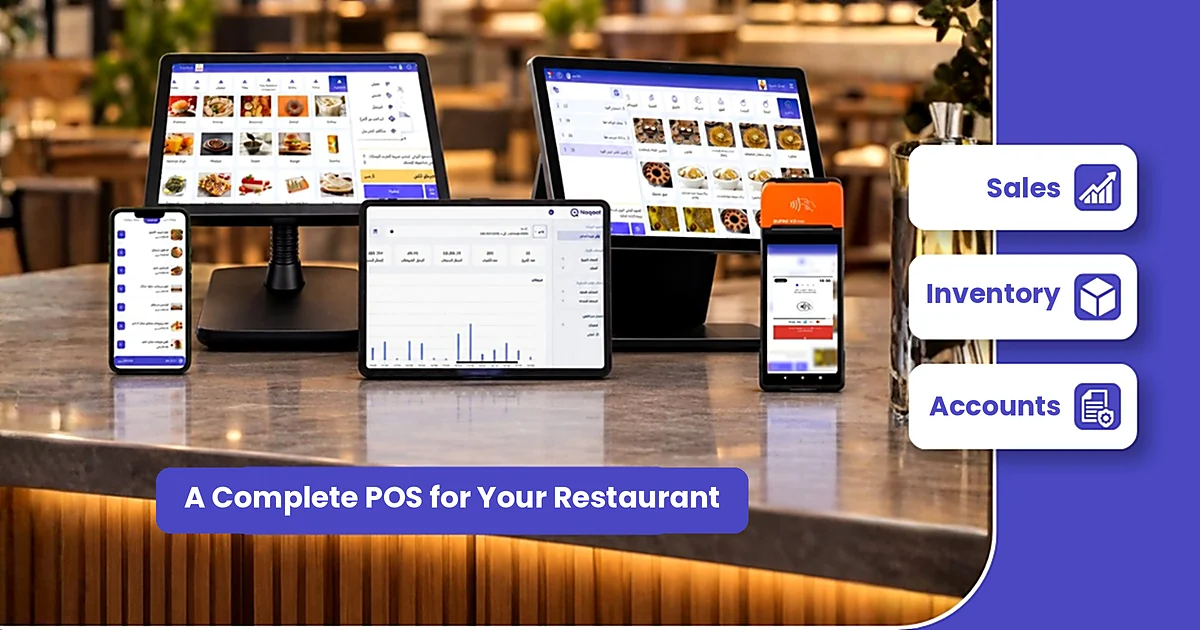
How much does it really cost to run a POS system in your restaurant? It’s one of the first questions owners ask when opening a new branch or thinking about switching systems. The problem is that a restaurant POS system price in Saudi Arabia rarely comes as one clear number. There’s the subscription, the hardware, the setup, delivery app integrations, and sometimes fees that only appear after you sign.
This guide breaks the cost down into its real parts, explains what pushes the price up and what brings it down, and gives you a list of questions to compare vendor quotes with confidence, so you pay for what your restaurant actually needs.
Key points
- A restaurant POS system price is driven by four main factors: the payment model, the number of branches and devices, the features you need, and the hardware.
- The real cost = subscription + hardware + setup and training + add-ons, so never compare quotes on the subscription alone.
- Cloud POS systems usually charge a monthly or annual subscription that includes updates and support.
- Make sure the price covers e-invoicing compliance in both phases, because integration with the Fatoora platform is mandatory for targeted businesses.
In this article
- What determines the price?
- The full cost
- Monthly, annual or perpetual?
- Hidden costs
- E-invoicing and price
- Estimating your budget
- When a higher plan is worth it
- Noqqat plans and pricing
- How to compare quotes
- FAQ
What determines the restaurant POS system price?
There’s no single price that fits every restaurant. A one-branch burger shop doesn’t need what a five-branch chain with a central kitchen needs. These are the factors that make the biggest difference:
1. The payment model
Most cloud systems today are sold on a monthly or annual subscription, while some traditional systems are sold as a one-time licence followed by maintenance and update fees. A subscription keeps the upfront cost low and spreads it across your operating months. A perpetual licence can look cheaper over time, but may come with later update fees.
2. Number of branches and devices
Many vendors price per branch or per POS terminal. So count the points of sale you need in each branch, including kitchen screens and self-ordering kiosks if you use them, before you ask for a quote.
3. Features and add-on modules
Basic plans usually cover sales, menu management and reports. Inventory, table management, loyalty, digital menus and branch or franchise management often come in higher plans or as separate modules. Decide what you need today and what you’ll need within a year, and don’t pay for modules you won’t use.
4. Hardware
The POS terminal, receipt printer, kitchen printer, cash drawer and card payment terminal are, in most cases, separate costs from the software. Some systems run on several operating systems, which may let you use devices you already own instead of buying new ones.
The full POS system cost: more than a subscription
To see the full restaurant POS system price, put every line item in one table so you see the full picture:
| Item | What it covers | Payment type | What to ask |
|---|---|---|---|
| Subscription | Using the software and updates | Monthly or annual | Is the price per branch or per device? |
| Hardware | Terminal, printers, cash drawer | Usually one-time | Does the software run on my current devices? |
| Setup and training | Menu entry, branch setup, staff training | One-time | Is setup free or charged? |
| Integrations | Delivery apps and accounting | Depends on vendor | Are integrations included in the plan? |
| Technical support | Help with issues and questions | Included or separate | Is support available during peak hours? |
Monthly, annual or perpetual licence?
Each model makes sense for a different situation, depending on your cash flow and plans:
- Monthly subscription: suits a new restaurant that wants to try the system without a long commitment. It usually costs a little more per month, but it’s flexible.
- Annual subscription: suits owners who have tried the system and are happy with it. Some vendors offer an annual price lower than twelve monthly payments, so always ask about the difference.
- Perpetual licence: a large upfront payment, possibly followed by annual update or maintenance fees. Before buying, make sure the system will stay compatible with any e-invoicing updates ZATCA requires.
Hidden costs to ask about before you sign
Most billing surprises come from items that weren’t in the first quote. Ask about them directly and get the answers in writing:
- Setup fees and menu or item entry.
- Fees for adding a new branch or an extra device.
- Integration fees for delivery apps or accounting software.
- Fees for connecting to the Fatoora platform in Phase 2.
- Training costs when staff change.
- Cancellation or data export fees if you decide to switch later.
- Whether the listed prices include VAT.
E-invoicing: does it raise the restaurant POS system price?
E-invoicing compliance is no longer an optional extra; it’s a basic requirement for any POS system used in Saudi Arabia. In Phase 2 the system connects to ZATCA’s Fatoora platform, and ZATCA announced the Wave 25 criteria with an integration deadline of 1 February 2027 for targeted taxpayers.
So don’t accept a quote that treats Fatoora integration as an open-ended paid extra. Ask the vendor to confirm whether compliance with both phases is included in the plan, and who handles onboarding your devices. For the full Phase 2 requirements, read our guide to the ZATCA approved POS system.
How to estimate your restaurant’s budget: practical examples
Instead of looking for one general restaurant POS pricing figure, start from what your restaurant needs. Here are three common setups and what each usually requires:
| Type of business | What it usually needs | What raises the cost |
|---|---|---|
| Cafe or small restaurant, one branch | One point of sale, menu, daily reports, e-invoicing | Adding self-ordering or extra devices |
| Restaurant with two branches and delivery | Inventory, order management, delivery app integration, kitchen screen | Number of devices per branch |
| Restaurant chain or franchise | Branch management, accounting, call centre, loyalty | Advanced modules and integrations with other systems |
Write your needs down like this before you contact any vendor, and comparing quotes becomes much easier.
When is a higher plan worth it?
Upgrading isn’t a luxury if the new feature saves you more than it costs. The simple rule: pay for a feature when it solves a problem that costs you money or time every day. Signs it’s time:
- Delivery orders have become a large share of your sales, and entering them manually causes errors and delays.
- You notice a gap between stock in the system and stock on the shelf, or waste you can’t trace.
- You’ve opened a second branch and need to follow both from one dashboard.
- You want a loyalty programme that brings customers back instead of relying on discounts alone.
If none of these apply yet, a basic plan is enough to start, and you can upgrade as your business grows.
Noqqat restaurant POS system price and plans
Because transparent pricing is part of choosing the right vendor, here are Noqqat’s plans as published on our pricing page:
| Plan | Monthly | Annual | Main features |
|---|---|---|---|
| Basic | SAR 100 | SAR 1,000 | Cloud POS, menu management, reports, dashboard |
| Premium | SAR 250 | SAR 3,000 | Everything in Basic, table, pickup and inventory management, orders, delivery zones, promotions and coupons |
| Enterprise | SAR 500 | SAR 6,000 | Everything in Premium, accounting, call centre, digital menu, franchise management, loyalty, cloud kitchen |
Noqqat runs on Windows, iPhone, Android and Huawei devices, connects directly with Jahez, HungerStation, Noon and Ananinja, and is compliant with Phase 1 and Phase 2 e-invoicing requirements. If your business needs a custom plan, you can request a quote based on your branches and devices.
Cheapest or best fit? How to compare quotes
A low restaurant POS system price alone isn’t a saving. A cheap system that freezes at peak time, or charges extra for every feature, can cost you more than a slightly pricier system that covers everything. When comparing:
- Calculate the full annual cost of each quote, including hardware, setup and add-ons.
- Divide the cost by the number of branches to see the real cost per branch.
- Ask for a demo on your own menu and test a sale, a refund and issuing an invoice.
- Ask about technical support and its hours, especially at weekends.
- Check e-invoicing compliance before any other feature.
If you’re comparing systems in general and not just on price, you’ll find the full criteria in our guide on how to choose the best restaurant POS system, or see what to look for in the best POS software for restaurants and cafes in Saudi Arabia.
The fastest way to know your real restaurant POS system price is to see the system on your own menu: request a Noqqat demo and get a quote based on your branches and devices.
How to calculate the full annual cost, step by step
Before you choose, turn every quote into one annual number you can compare:
- Write down the annual subscription for the plan that fits you, and multiply it by the number of branches or devices if the vendor prices that way.
- Add the one-time hardware cost: POS terminal, printers, cash drawer and card payment terminal.
- Add any setup, menu entry and staff training fees.
- Add integration fees for delivery apps and accounting software if they are not included in the plan.
- Divide the total by 12 to see your real monthly cost, then compare quotes on that basis.
This turns the restaurant POS system price into one clear number you can compare with confidence, instead of a subscription that looks cheap until the other items are added.
Tips to lower your POS system cost without losing quality
- Start with the plan that covers what you need today, and upgrade as your business grows.
- Check whether the software runs on your current devices before buying new hardware.
- Choose a system that includes e-invoicing in the plan, so you do not pay later to connect to the Fatoora platform.
- Prefer a system with direct delivery app integration, because manual entry costs staff time and causes order errors.
- Use inventory reports to cut waste, one of the biggest hidden costs in restaurants.
Frequently asked questions
How much does a restaurant POS system cost in Saudi Arabia?
The restaurant POS system price depends on the vendor, the payment model, the number of branches and the features you need. Cloud systems are usually sold on a monthly or annual subscription, plus hardware and setup costs. You’ll find Noqqat’s plan prices in the table above.
Does the subscription price include hardware?
In most cases, no. The subscription covers the software; the terminal, printers and cash drawer are charged separately, so ask the vendor clearly.
Which is cheaper: monthly or annual?
Annual is usually cheaper if you’re sure about the system, because some vendors offer an annual price below twelve monthly payments. Monthly suits you better if you want to try the system first.
Is e-invoicing integration charged separately?
It varies between vendors. Ideally, compliance with both phases should be included in the plan, since it’s mandatory for targeted businesses, so get written confirmation before you sign.
Do I need new hardware when switching POS systems?
Not necessarily. Some cloud systems run on several operating systems, so you may be able to keep your current devices if they’re compatible. Ask the vendor for the list of supported devices.
What costs don’t appear in the first quote?
Mainly setup fees, adding branches or devices, delivery app integrations, training, and data export when cancelling. Ask for all of them in writing before signing.
Is the cheapest POS the best choice for a new restaurant?
Not always. Compare the full annual cost and what the price includes, such as support and e-invoicing compliance. A system that freezes at peak time costs you more in lost sales than it saves.