
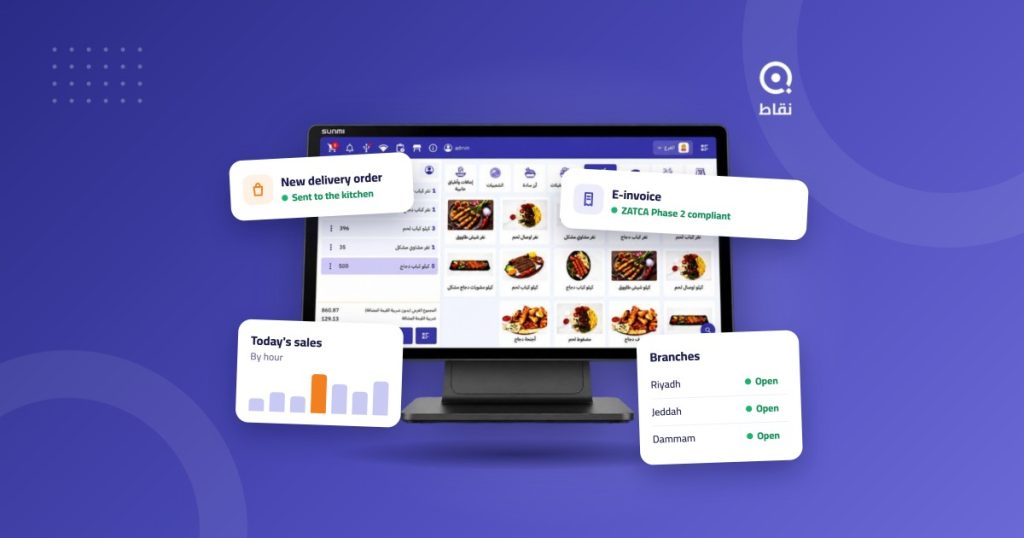
Choosing the best POS software for restaurants and cafes in Saudi Arabia is not about finding a screen that only prints receipts. You need a system that takes delivery orders, issues a compliant e-invoice, deducts stock, and shows you today’s profit on your phone. This guide explains why Noqqat is a strong choice for restaurants and cafes that want all of that in one cloud system, what each plan includes, and what it costs.
Key facts
- Noqqat is a Saudi cloud POS based in Riyadh, built for restaurants, cafes and retail.
- It is compliant with ZATCA e-invoicing requirements for Phase 1 and Phase 2.
- It integrates with Jahez, HungerStation, Noon and Ananinja, plus Deliverect, Grubtech and Feedus.
In this article
- What is POS software?
- Problems it solves
- Why Noqqat
- By business type
- Reports
- Switching to Noqqat
- Plans and prices
- Getting started
- Compare first
- FAQ
- Try Noqqat
What is POS software for restaurants and cafes?
Point of sale (POS) software is the system where an order is recorded, paid for and invoiced. In restaurants and cafes it does much more than the till: it sends the order to the kitchen, tracks tables, updates stock with every item sold, and brings dine-in, pickup and delivery sales together in one report.
Cloud POS software keeps this data online instead of on a single device in the branch. That means you can follow your restaurant from anywhere, and updates arrive without a technician visit.
Everyday problems the right POS software solves
- Delivery orders typed twice. Staff copy orders from the app tablet into the cashier by hand, so orders are delayed or entered wrongly.
- Invoices that miss the requirements. An invoice with missing data or no QR code exposes the business to violations.
- Stock you discover too late. A key item runs out at peak time, or waste builds up with no clear cause.
- Numbers that arrive late. You wait until month end to learn which item makes money and which shift loses it.
- Every branch working alone. Different prices, different menus, and reports that only come together by hand.
- No record of who did what. Without permissions for each employee, discounts and cancellations are hard to trace.
Why Noqqat is POS software built for Saudi restaurants and cafes
1. E-invoicing compliant with ZATCA
Noqqat supports Phase 1 and Phase 2 of e-invoicing: issuing the invoice and integrating with the Fatoora platform. ZATCA has announced Wave 25, covering taxpayers whose VAT-subject revenue exceeded SAR 187,500 in any year from 2022 to 2025, with integration due by 1 February 2027. If your restaurant is in that wave, you need a system that is ready for Phase 2 today.
2. Direct integration with delivery apps
Noqqat connects with Jahez, HungerStation, Noon and Ananinja, and with aggregators such as Deliverect, Grubtech and Feedus. Orders reach the cashier and kitchen screens without being re-entered. The full list is on the integrated apps page.
3. Every order type on one screen
The cloud POS handles dine-in, pickup, delivery and reservations from the same screen, with table management and a kitchen display that shows orders in sequence. The interface is in Arabic, so new staff learn it quickly.
4. Inventory, costs and accounts in the same system
Every item sold is deducted from inventory automatically. The cost control module helps you track food cost and margin, and the accounts module saves you from moving numbers into separate accounting software.
5. Branch and franchise management from one dashboard
Keep the menu, prices and offers consistent across branches and compare their performance from one dashboard. Brands that franchise have a dedicated franchise management module.
6. Works on your devices, even offline
Noqqat runs on Windows, iPhone, Android and Huawei, so you are not tied to one device. If the internet drops, sales continue and data uploads when the connection returns. It also connects to payment terminals, so amounts are never typed twice.
7. More sales channels and mobile oversight
The electronic menu lets guests order by scanning a QR code, and the cloud call center takes phone orders for your branches. The owner app shows today’s sales on your phone wherever you are.
8. 24/7 support
A cashier problem doesn’t wait for office hours. Noqqat’s team is available around the clock for installation, training and troubleshooting.
What matters for each type of business
The software is the same, but what you use most depends on how you operate.
Cafes and specialty coffee shops
Orders are short, frequent and full of modifiers: cup size, milk type, an extra shot. You need fast entry for these options, stock that tracks beans, milk and cups, and coupons, gift cards and a loyalty program to bring daily customers back.
Quick service restaurants
Speed is everything. Orders should reach the kitchen screen the moment they are confirmed, and because a large share of sales comes from delivery, Jahez or HungerStation orders should land in the system directly, with nobody retyping them.
Dine-in restaurants
You need table and reservation management, and an electronic menu that lets guests browse and order from their phones, which takes pressure off the floor team at busy times.
Chains and cloud kitchens
The more branches you have, the more you need one place to decide from. Change a price across branches at once, compare sales and costs between branches, take phone orders through the call center, and run delivery-only operations with the cloud kitchen module.
Reports that support decisions
Data only helps if it answers real questions. Noqqat’s reports help with the questions every owner asks:
- Which items actually make money? Sales by item next to cost, so you know what to keep, reprice or remove.
- When do I need more staff? Sales by hour and day, so shifts match real peak times.
- Which sales channel is worth investing in? The share of dine-in, pickup and each delivery app in revenue.
- Where is my stock going? The gap between expected usage and the physical count, the first sign of waste.
- How is each branch performing? Branches compared side by side in one view.
Moving from your current system to Noqqat
The biggest worry about switching is downtime. An organised move avoids it: the menu, prices and users are set up in Noqqat first, the team practises on test orders, and live trading starts on a quiet day of the week.
If you already use accounting or ERP software such as Microsoft Dynamics 365 or Oracle ERP, you don’t have to give it up: Noqqat integrates with both, and the Enterprise plan includes an API for connecting your own systems.
Noqqat plans and prices
Prices are published, and you pay only for what you need. The full details are on the pricing page.
| Plan | Monthly price | Main features | Best for |
|---|---|---|---|
| Basic | SAR 100 | Cloud POS, menu management, customers, reports | Coffee kiosks, food trucks, small cafes |
| Premium | SAR 250 | Everything in Basic, plus tables, pickup, inventory and stock counts, coupons and promotions, gift cards, delivery zones | Dine-in restaurants, specialty cafes, quick service |
| Enterprise | SAR 500 | Everything in Premium, plus accounts, call center, e-menu, delivery services, loyalty, franchise management, cloud kitchen, API | Multi-branch chains, cloud kitchens, delivery-led restaurants |
Start with the plan that covers how you work today, and move up when you open a branch or add a sales channel.
How to get started with Noqqat
- Request a demo. See Noqqat running on your restaurant’s scenario, not a generic example.
- Choose your plan. Based on your branches and sales channels.
- Set up your menu. Items, prices, modifiers and printers.
- Connect invoicing and delivery. Your business tax details and your delivery app accounts.
- Train the team and go live. Start on a quiet day before the weekend.
Before you decide: compare with clear criteria
Don’t take any vendor’s word that they are the best, including ours. Ask two or three systems for a demo and test them with the same questions. We collected those questions in our guide on how to choose the best restaurant POS system, with eight criteria and a checklist you can use with any vendor.
Frequently asked questions
What is the best POS software for restaurants and cafes in Saudi Arabia?
The best choice is software that is compliant with e-invoicing, integrates with the delivery apps you use, and brings sales, stock and reports together in one place. Noqqat covers all of these needs.
Is Noqqat compliant with Phase 2 of ZATCA e-invoicing?
Yes. Noqqat supports Phase 1 and Phase 2 under ZATCA’s requirements, including integration with the Fatoora platform.
Which delivery apps does Noqqat integrate with?
Jahez, HungerStation, Noon and Ananinja, plus the aggregators Deliverect, Grubtech and Feedus. See the integrated apps page for the current list.
Does the POS work if the internet goes down?
Yes. Sales and invoicing continue, and data uploads automatically when the connection returns.
Do I need special hardware?
No. Noqqat runs on Windows, iPhone, Android and Huawei devices, and connects to printers and payment terminals.
How much does restaurant POS software cost with Noqqat?
SAR 100 per month for Basic, SAR 250 for Premium and SAR 500 for Enterprise. Annual subscriptions are also available; see the pricing page for details.
Is Noqqat suitable for small cafes and food trucks?
Yes. The Basic plan covers a single point of sale, runs on a tablet or phone, and keeps selling without internet.
Can I manage several branches from one account?
Yes. You manage the menu, prices and offers for all branches from one dashboard, compare their performance, and follow them from the owner app.
Do I need separate accounting software?
Not necessarily. The Enterprise plan includes the accounts module, and if you already use accounting software it can be connected to Noqqat.
Try Noqqat in your restaurant
The right POS software for restaurants and cafes is decided by trying it, not by reading about it. Request a Noqqat demo and see it run on your own orders, menu and branches before you decide.